Filter Questions
Remove products that don’t fit a shopper’s answer, whatever votes they get elsewhere.
A filter question permanently eliminates products that don't match the shopper's answer — regardless of how many votes those products accumulate from other questions. Filters run before the vote count is evaluated, so a filtered-out product can never appear in results even if it has the highest vote total.
What is a filter question?
Most quiz questions assign votes to products. A filter question does something different: the shopper's answer defines a scope, and any product outside that scope is removed from the eligible pool entirely.
Think of it as a hard requirement rather than a preference. Votes express "this product is a good fit." A filter expresses "this product is disqualified — don't show it, period."
Enabling the filter
Open a question in the editor, scroll to the Question settings card, and toggle Filter question on.
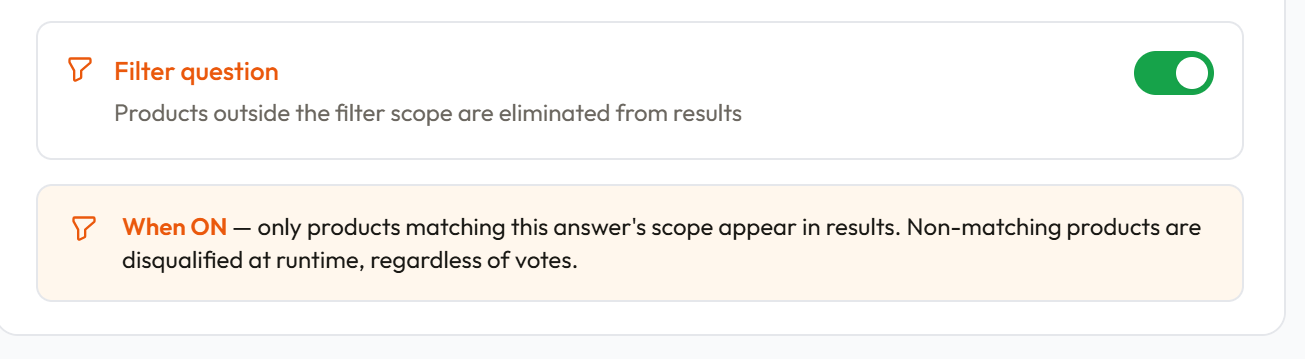
Once the toggle is on, the question is marked with an indigo Filter badge in the question list. Each answer on the question now has a Filter scope field instead of standard vote assignment.
Setting the filter scope per answer
With the filter toggle enabled, expand any answer row. You'll see a Filter scope selector instead of the vote assignment tabs. This is where you define which products survive the filter when the shopper picks this answer.
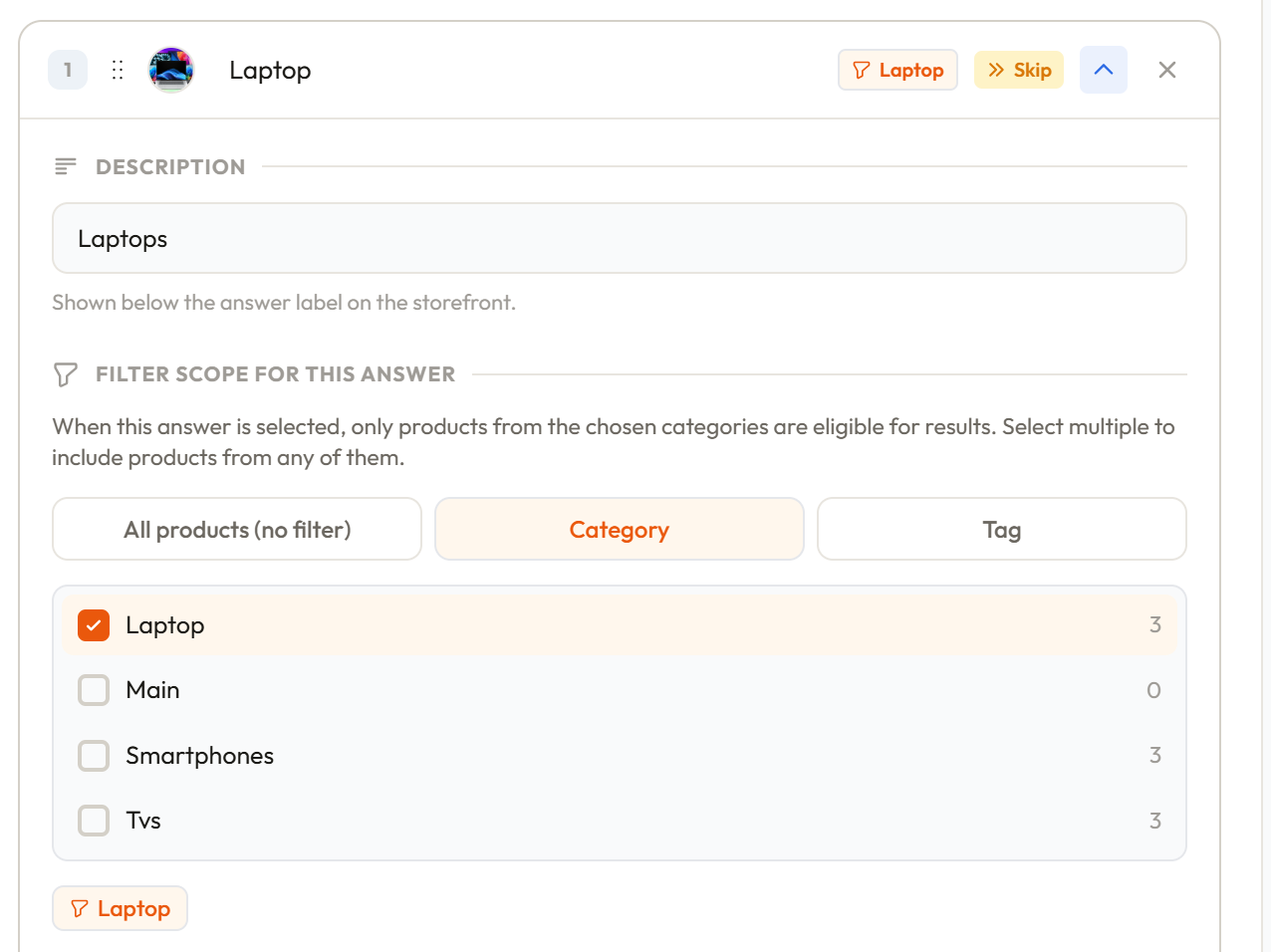
Each answer's filter scope can be set to one of three types:
Collection / Category — only products in this collection remain eligible. All other products are eliminated.
Tag — only products carrying this tag remain eligible. All other products are eliminated.
All products — no products are eliminated by this answer. Useful for a "No preference" or "All types" option on a filter question where you want the shopper to be able to opt out of filtering.
How filters affect results at runtime
When the quiz runs and the shopper reaches a filter question:
- The shopper picks an answer
- ShopperQuiz records the filter scope for that answer
- At the end of the quiz, before ranking by votes, every product is checked against every filter scope collected
- Any product that falls outside a filter scope is removed from the eligible pool
- The remaining products are ranked by vote total and displayed as recommendations
A product must pass all filter checks to be eligible. If your quiz has two filter questions, a product must be within scope for both answers the shopper selected.
Progressive filtering with multiple filter questions
You can have more than one filter question in a quiz. Each one narrows the eligible pool further. For example:
- Filter Q1: "Do you want a vegan product?" → Shopper selects Yes → Only vegan-tagged products remain
- Filter Q2: "What result are you after?" → Shopper selects Growth → Only products in the Growth collection remain
- After both filters: only products that are both vegan-tagged and in the Growth collection are eligible
The order of filter questions doesn't matter — all filter scopes are applied together at the end before vote ranking runs.
How filters change the vote assignment UI on other questions
When a filter question is present in the quiz, the vote assignment tabs on non-filter answers adapt to reflect the narrowed scope:
- If the filter is scoped to a Collection: the vote assignment UI shows "All products in filter", "Individual products (from filter)", and "Tag (within filter)". The Collection tab is hidden since it's already set by the filter.
- If the filter is scoped to a Tag: the UI shows "All products in filter", "Individual products (from filter)", and "Collection (within filter)". The Tag tab is hidden.
This keeps the vote assignment UI focused on products that are actually reachable given the filter — avoiding the confusion of assigning votes to products that will be filtered out anyway.
When to use filter questions
Filter questions work best for hard requirements — attributes where showing a product that doesn't match would be a clear failure. Common examples:
- Vegan / non-vegan preference
- Product type (oil vs. powder vs. cream)
- Hair texture or skin type where only a subset of products apply
- Price range if you have distinct product tiers
For preferences that are more of a "bonus" than a requirement — where a product can still be a good recommendation even if it doesn't perfectly match — vote weight is the better tool. Reserve filters for genuine dealbreakers.
Was this page helpful?
Need more help? Open Ask Ana AI in your dashboard, or email support@shopper-quiz.com.